Update: The media-player is now released! Go here to download
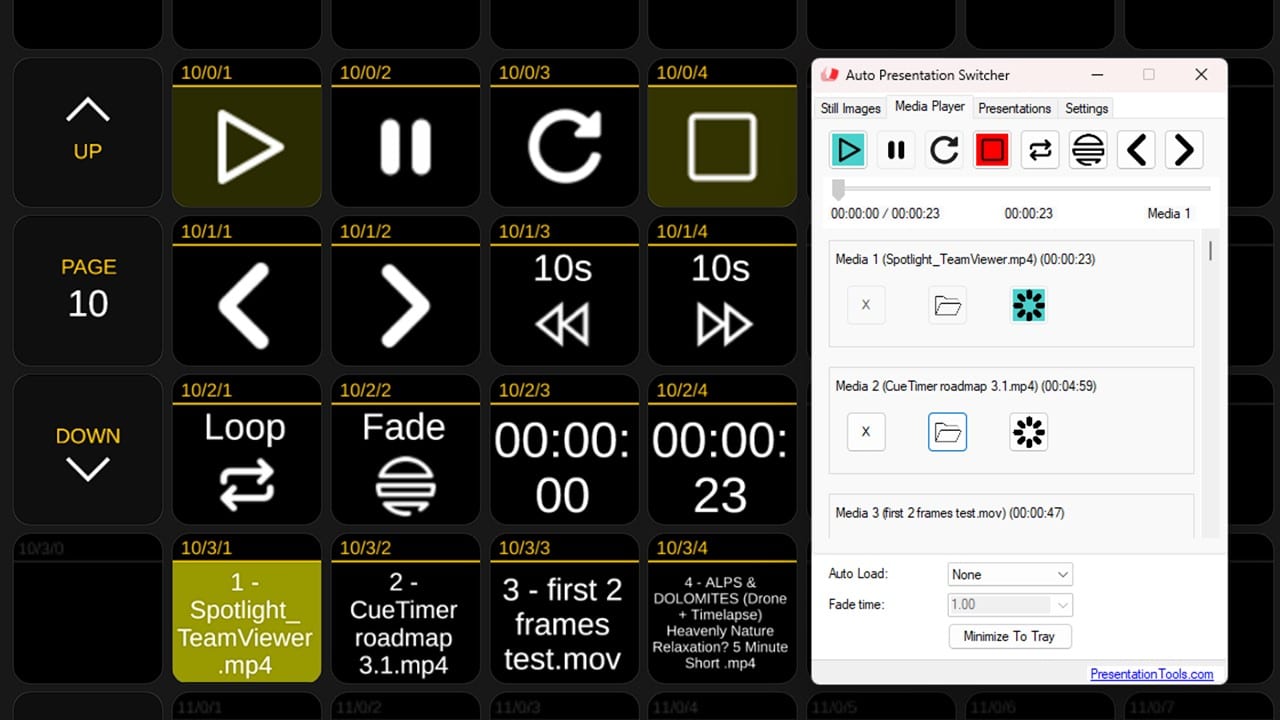
We are happy to introduce this update to APS for Windows which gives the ability to play video, audio and image-files. For now we release the public beta-version, and after further testing and customer-feedback we will release the official version.
Feature overview:
– Play videos seamlessly on top of your display
– Fade in/out the video-window for smooth transitions with other content on your display
– Loop videos
– Choose between a selection of 40 videos, images or audio-files
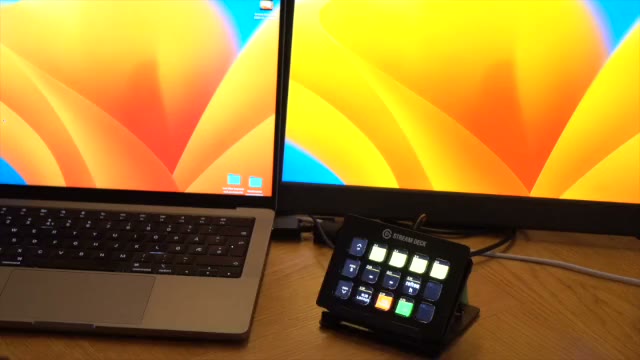
– Control with Companion
– Low-latency TCP/IP messages for syncronizing the video-window with other devices
Technical details
The media playback is using the same “engine” as VLC, LibVLC, (with VLC.dotnet), along with a little bit of FFMPG for some media-processing.
More about LibLVC
Morea about FFMPG
Pricing
The media-player will be included in the next version of APS 3. It’s free to use for current and future APS customers who bought the licence after February 2022.
Getting started with the APS media-player
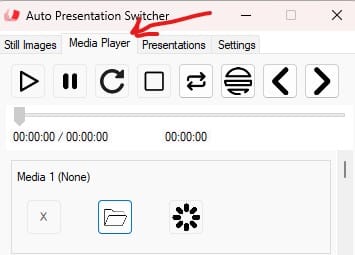
First go to the Media Player tab
1. Open a video
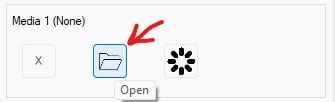
Push the folder-icon to select a video to the media-slot. You can also drag and drop the media file there.
2. Load the video for playback
Push the “load” icon on the slot to select and load the media for immediate playback
3. Play the video
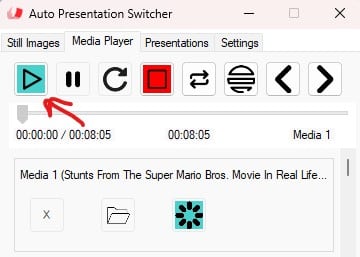
The play-button top left will play the selected video. The video will play from start to finish in fullscreen on the display that you select as Main Presenter Screen in the main menu. This is the same display that is used for the still-images. While the video is playing, you can use the other controls in the menu to pause, restart, and move to a new position. By mouse-clicking on the video-window, and pushing escape, the video will exit.
For more info on the user-interface, see our newly updated user-guide.
Companion control
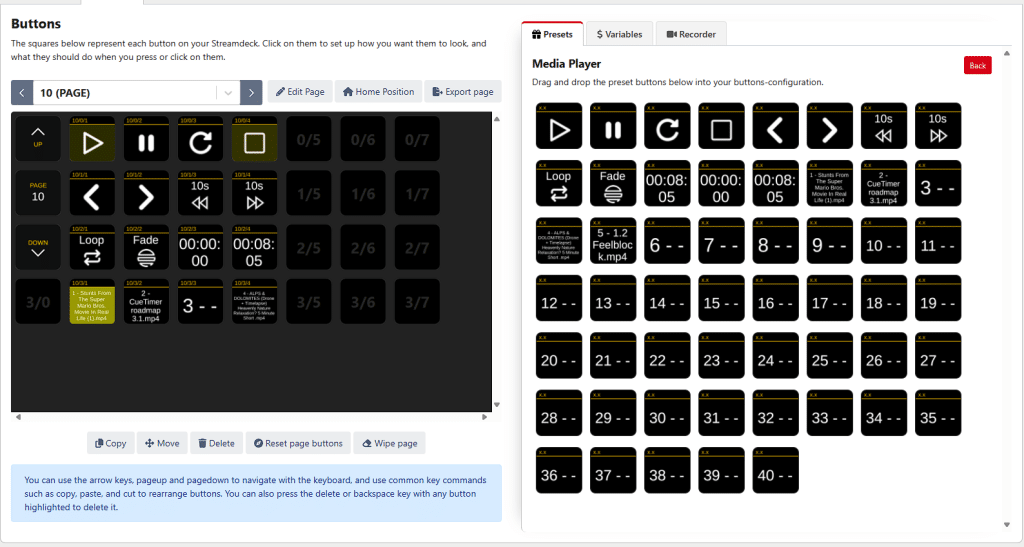
Most of the controls from the user-interface can be found in the presets in Companion. Drag and drop buttons and commands as you need them.
Beta version limitatations
A lot of testing has been done to ensure that this version that we now release works has flawlessly as possible. However, know that we still more testing and tweaking before we can say that this feature is ready for critical shows. We welcome you to test and report any issues you might find.