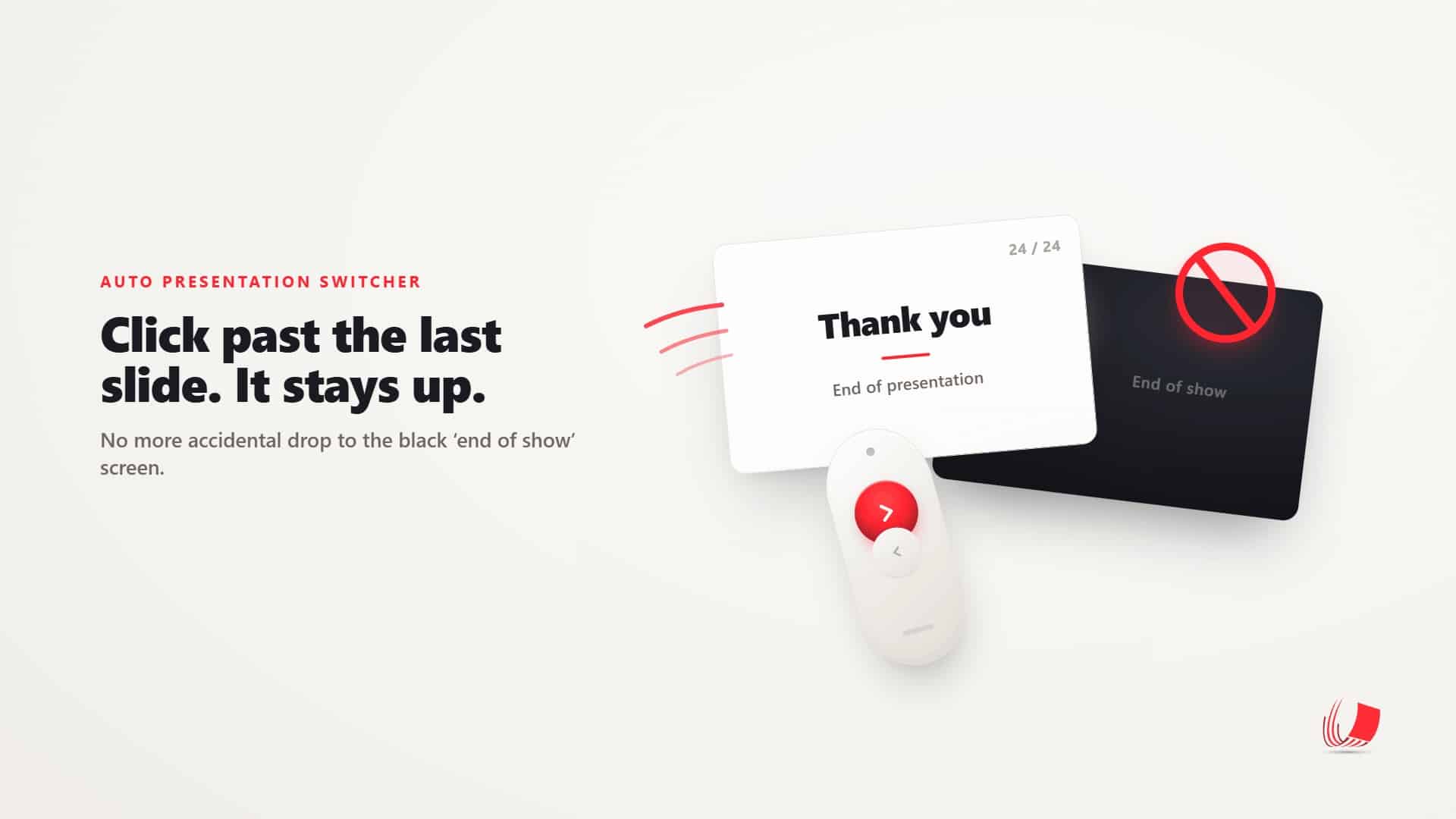
Why the usual advice — turning off the black “end of show” screen — doesn’t actually fix it, and how Auto Presentation Switcher (APS) holds your presentation on the last slide instead.
The last click
Picture the last few minutes of a keynote. Forty-five minutes in, the room is full, and the speaker has just landed on their closing slide — the big “Thank you,” the logo, the line they want people to walk out remembering. Then a flicker of doubt: was that the last slide, or is there one more? The clicker in their hand has no screen to tell them. So they do what almost everyone does. They press forward, just to be sure.
And the wall behind them goes black. End of slide show. Click to exit.
Or worse: the screen drops straight to the editing view — the thumbnail rail down the side, the speaker notes, the filename of the next deck sitting in the title bar. In front of everyone. The speaker hesitates, the room notices, and somewhere at the back the operator is already reaching for the keyboard.
It lasts maybe three seconds. But a live show is often judged on exactly those three seconds.
The advice that doesn’t quite work
Search for a way to prevent this and you’ll quickly find the same tip everywhere: open PowerPoint’s options and turn off End with black slide. It sounds like the fix. It isn’t.
Turning off that setting doesn’t keep you on your last slide — it just removes the black screen and exits the slide show instead, dropping you to the editor on that final press. On a live feed, that’s usually the worse of the two outcomes. You’ve swapped a black screen the audience might shrug off for a full view of your working environment.
The other workarounds floating around have the same problem in different clothes. Kiosk mode locks the deck down so a stray click does nothing, but it also disables normal navigation, so it’s no good when the presenter still needs to click through their slides. Duplicating the final slide a few times gives you a buffer, but it’s a manual trick you have to remember to set up on every deck, and it only buys you a click or two. None of them is a clean, reliable answer for live work — which is exactly the gap this release fills.
Hold at end of presentation
APS 4.2.1.1 introduces a setting called Hold at end of presentation. Turn it on, and when your presentation reaches the end, APS holds it there. An accidental press past the end simply does nothing — no black screen, no drop to the editor. Everything up to that point behaves exactly as normal: every slide and every build advances the way it always has. The only press that changes is the one that would have exited the show, and that one is quietly held.
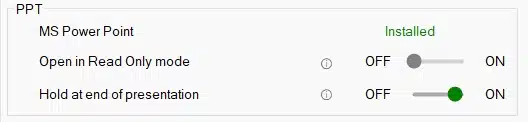
You stay in full control. You can still leave the slide show at any moment with the Esc key, and a mouse click at the end follows PowerPoint’s normal behaviour. The hold applies whether the press comes from the keyboard, a presentation clicker, or APS’s own slide controls — so it covers the way presenters actually drive a deck, not just one input.
Hold, or link: two ways to reach the end safely
Hold at end of presentation isn’t the only way APS handles the end of a deck. If you’ve used Link presentations, you’ve already met its sibling. Both rely on APS knowing precisely when a presentation has reached its very end — they just do different things once it gets there.
Link presentations chains decks together: when one presentation reaches the end, instead of exiting, APS moves straight on to the next presentation you’ve linked. It’s built for sessions where several talks run back to back and you want the handover between them to be seamless.
Hold at end of presentation is the quieter cousin. There’s no next deck to move to — you simply want this presentation to stay put on its final slide until you decide to leave it. One chains forward; the other holds its ground. Which you reach for depends on the show, but you can rely on either to mean the same thing in practice: a forward press at the end never drops you out by accident.
Why this is Windows-only — for now
For now, Hold at end of presentation is available on Windows only, and the reason comes down to what PowerPoint itself makes available on each platform. On Windows, PowerPoint lets APS know reliably when you’ve reached the very last step of a presentation — the exact point where one more press would exit. On Mac, that information isn’t exposed in the same way, so APS can’t dependably tell the difference between a normal forward press and the one that would drop you out of the show.
Rather than ship something that works most of the time and fails at the worst possible moment, we’ve kept the feature to the platform where it’s solid. It’s something we’d like to bring to Mac, and we’ll revisit it if that picture changes.
Tools that keep the show on the rails
We didn’t build this to make anyone’s slides look better. Hold at end of presentation does nothing visible when a show goes well — and that’s the point. Its whole job is to make sure one small, easy mistake never reaches the screen.
That’s the kind of tool APS is. It isn’t there to add flash; it’s there to make a presentation workflow more reliable — to take the handful of ways a live show can quietly go wrong and close them off, one by one. The value shows up not in what the audience sees, but in what they never see: the black screen that didn’t appear, the editor that never flashed up, the three seconds that passed without anyone noticing. Good live production is full of small saves like that, and we’d rather build the saves than the spectacle.
Hold at end of presentation is available now in APS 4.2.1.1 for Windows.
You can download the latest version here, or read more about what APS does.